Creating Issues
Learn how to create issues in Clave, set their properties, and use AI-assisted triage.
Issues are the atomic units of work in Clave. Every bug, feature request, or task you track lives as an issue. Each issue gets a unique identifier (like CLV-042) that makes it easy to reference in conversations and commits.
Creating an issue
From the quick-create shortcut
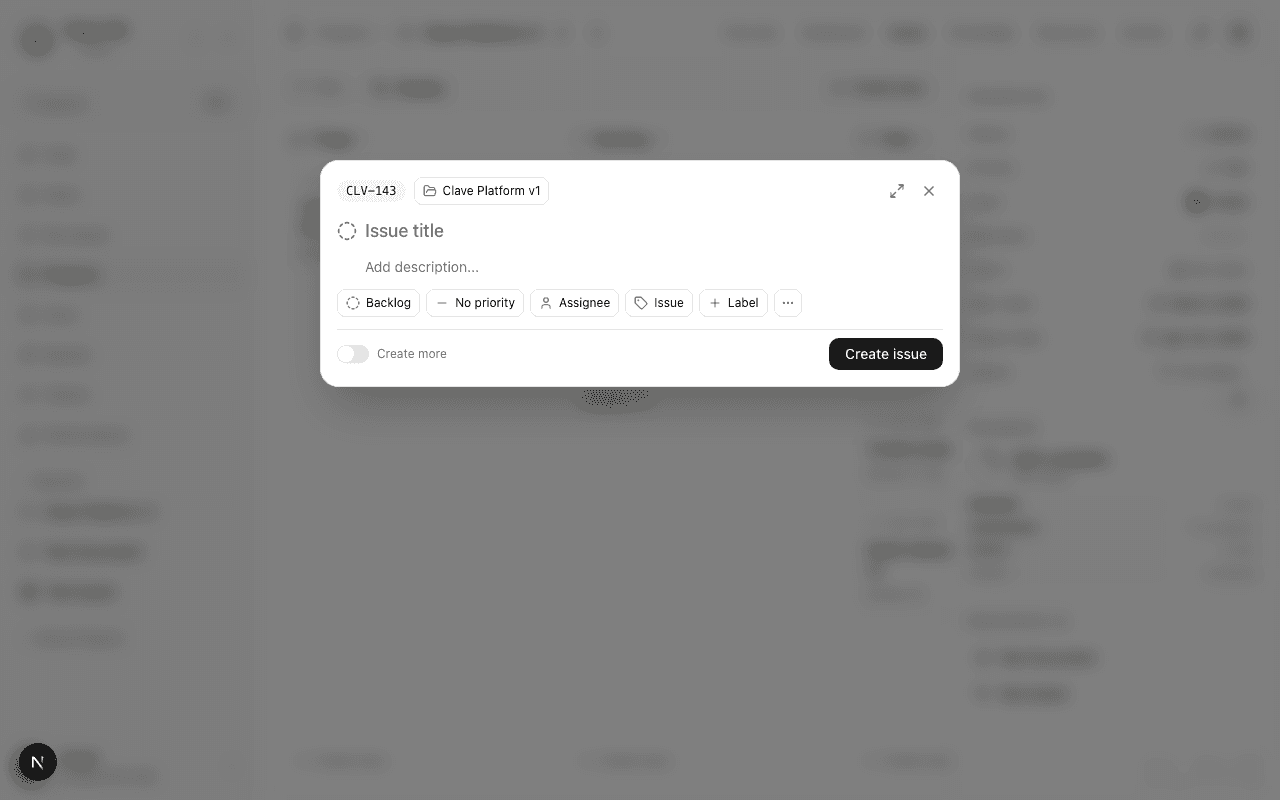
Press C anywhere in the app to open the quick issue creation modal. Type a title and press Enter to create the issue with default settings. Use the property chips at the bottom to set priority, status, type, or other fields before saving.
From the full create modal
Press Shift+C or click New issue in the issues toolbar to open the full creation modal. This two-panel layout gives you a title, rich-text description editor on the left, and a properties sidebar on the right.
From within a project
Navigate to a project's Issues tab and click New issue in the toolbar. The issue is automatically linked to that project.
Issue fields
| Field | Options | Description |
|---|---|---|
| Title | Text | Required. A short description of the issue. |
| Description | Rich text | Full context, acceptance criteria, repro steps, etc. |
| Status | Triage, Backlog, Todo, In progress, In review, Done, Cancelled | Where the issue sits in your workflow. |
| Priority | Urgent, High, Medium, Low, No priority | How important this issue is relative to others. |
| Type | Issue, Bug, Improvement, Feature | Categorizes what kind of work this is. |
| Assignee | Workspace member | Who is responsible for resolving this. |
| Project | Any workspace project | Which project this issue belongs to. |
| Sprint | Active sprints in selected project | Which sprint cycle to include this in. |
| Labels | Workspace labels | Tags for categorization and filtering. |
| Estimate | 0.5, 1, 2, 4, 8, 16, 24, 40 hours | Time estimate in hours. |
| Due date | Date picker | The deadline for this issue. |
Issue identifiers
Every issue gets an auto-generated identifier in the format PREFIX-NNN (for example, CLV-001). The prefix is configured in workspace settings. Identifiers are immutable — they don't change when you update the issue.
You can copy an issue's identifier from the issue detail page using the Copy identifier button in the toolbar.
AI-assisted triage
When you type a title in the full create modal, Clave's AI automatically analyzes the title and suggests:
- Priority — Based on keywords and context.
- Type — Whether this looks like a bug, feature, or improvement.
- Labels — Relevant existing labels from your workspace.
A triage panel appears beneath the title. Click Apply to accept the suggestions, or Dismiss to ignore them and set fields manually.
Duplicate detection
As you type a title, Clave checks for existing issues with similar titles. If potential duplicates are found, a warning panel appears below the title listing the matches. Click any duplicate to open it in a new tab before deciding whether to proceed with creating a new issue.
Creating multiple issues in a row
In the full create modal, enable the Create more toggle at the bottom. After each issue is created, the modal stays open and resets the title and description fields while keeping the other property values. This makes it faster to log a batch of related issues.
Quick-create from anywhere
Use Cmd+K to open the command palette and type "new issue" to jump straight to issue creation. The quick-create modal opens with focus on the title field.