Workspace analytics
Track workspace performance with metrics on project health, issue throughput, cycle time, and scope trends.
The Analytics page (called Performance in the app) gives you a data-driven view of how your team is executing. It's designed for leads who want to spot delivery risk early and understand where work is getting stuck.
Accessing analytics
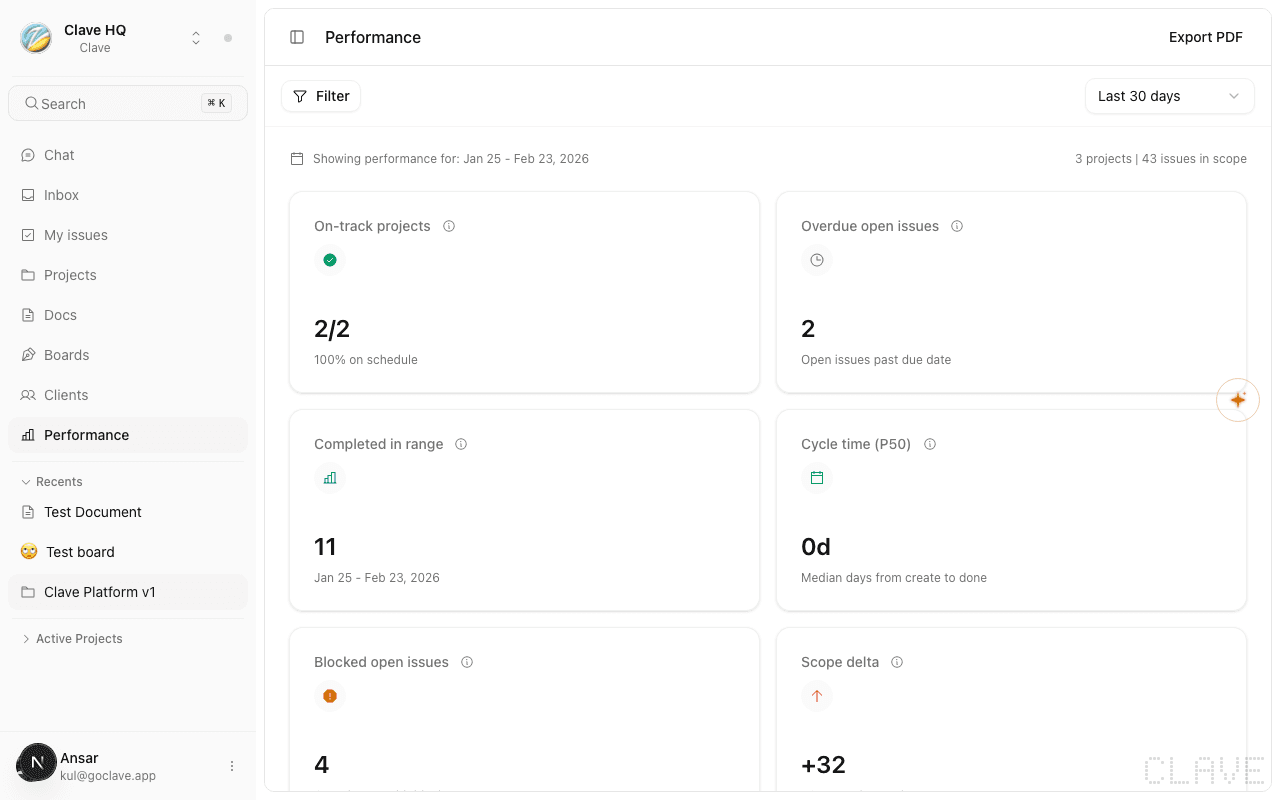
Click Analytics in the left sidebar (or press G then A if configured). The page is titled "Performance" in the app header.
Choosing a date range
Use the range selector in the top-right corner of the page to control the time window:
- Last 7 days
- Last 30 days (default)
- Last 90 days
- Custom range — pick a start date and end date using the date inputs that appear
All metrics on the page update immediately when you change the range.
Filtering by project or member
Click the Filter button in the toolbar to scope analytics to a specific project or team member. You can filter by one or both.
Applied filters appear as chips below the toolbar. Click the × on any chip to remove it.
The scope summary line below the toolbar shows how many projects and issues are included in the current view.
Key performance indicators
Six metric cards appear at the top of the page. Each has a tooltip explaining exactly what it measures.
| Metric | What it shows |
|---|---|
| On-track projects | Active and planned projects that are on or ahead of schedule, shown as a fraction and percentage |
| Overdue open issues | Open issues whose due date has passed within the selected range |
| Completed in range | Issues moved to Done during the selected date range |
| Cycle time (P50) | Median number of days from issue creation to completion |
| Blocked open issues | Open issues that have at least one active blocker relation |
| Scope delta | Issues created minus issues completed — positive means scope increased |
Each card is color-coded: green for healthy, amber for warning, red for concern.
Throughput trend
A bar chart showing how many issues were completed each period within your date range. Each bar represents a week or day depending on the range length. Hover over a bar to see the exact count.
The total issue count for the range appears in the card header.
Work mix
A stacked bar showing the distribution of issue types — Bug, Improvement, Feature, and Issue — among the issues created in the range. Use this to understand whether your team is mostly bug-fixing, building features, or a balanced mix.
Flow signals
A compact card with five additional metrics:
- WIP issues — issues currently in an active (in-progress or in-review) status
- Blocked open issues — same as the KPI card, duplicated here for quick reference
- Scope created — total issues created in the range
- Scope completed — total issues completed in the range
- Cancellation rate — percentage of issues that were cancelled rather than completed
Delivery risk
A list of projects that are falling behind schedule. Each entry shows the project name, its status badge, issue count, health label, variance from schedule (as a percentage), and due date.
If no projects are at risk, the card shows a green empty state.
Scope trend
A side-by-side bar chart comparing issues created vs. completed per period. The amber bars represent created issues; green bars represent completed issues. Hover to see exact numbers per period including the net change (delta).
Project health table
A table showing every project in scope with four columns:
- Project — name, status badge, and issue count
- Progress — actual completion percentage and a progress bar, plus the expected schedule percentage
- Health — a health label (On track, At risk, Behind, etc.) and the variance from schedule
- Due — the project's due date and a label showing how many days until or since that date
Projects that are overdue show their due label in red.
Exporting analytics
Click Export PDF in the top-right of the page to download a PDF report. The report includes:
- Current filters and date range
- All six KPI values
- Throughput and scope series data
- Work mix breakdown
- Delivery risk summary
- Full project health table
The export respects the currently applied filters and date range.