Clients
Track clients, contacts, and their relationship to your projects with Clave's built-in CRM.
Clients is a lightweight CRM built into Clave. Use it to track the organizations you work with, manage contacts, link client work to projects, and monitor relationship status — all inside your workspace.
Open Clients
Click Clients in the left sidebar. The Clients page shows a list of all clients in your workspace.
Add a client
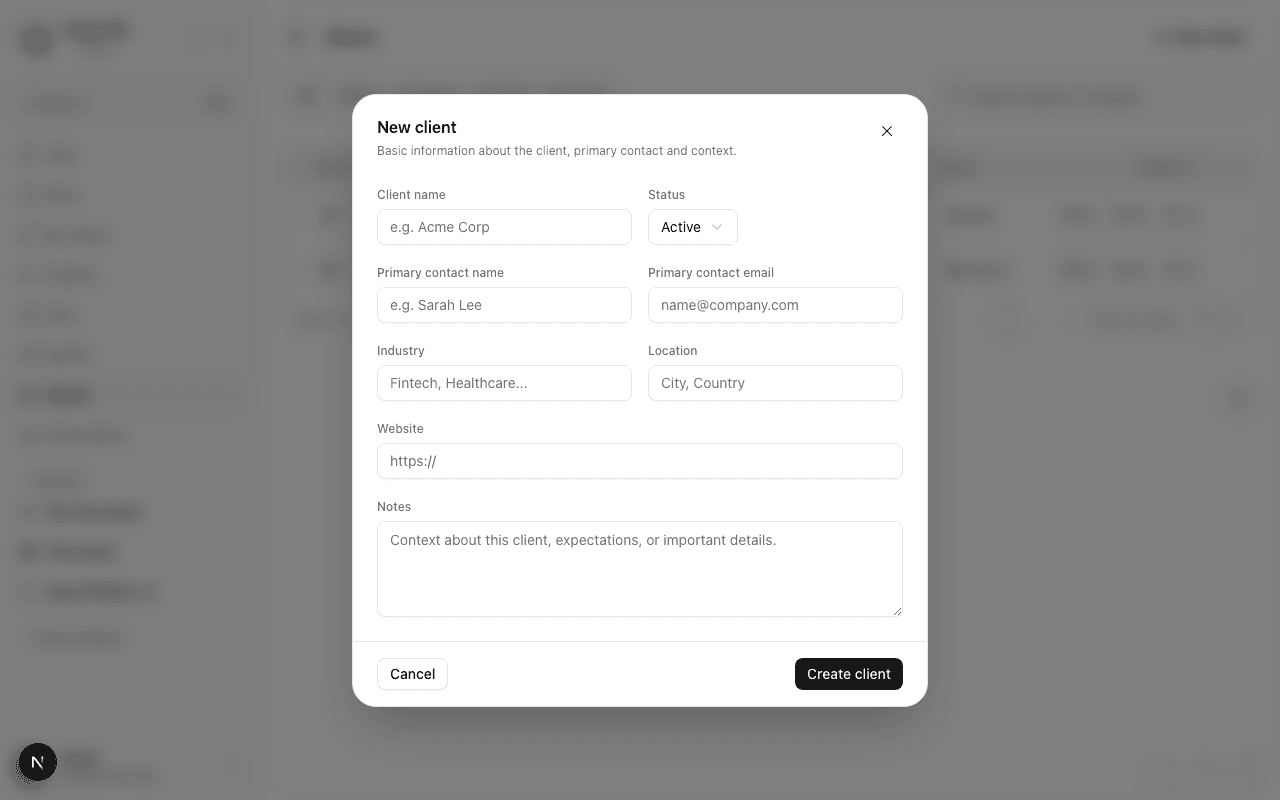
- Click New client in the top-right corner. A dialog opens.
- Fill in the client details (see fields below).
- Click Create client to save.
Client fields
| Field | Description |
|---|---|
| Client name | The organization's name (required) |
| Status | Prospect, Active, On hold, or Archived |
| Primary contact name | The main point of contact at this client |
| Primary contact email | Email address for the primary contact |
| Industry | The client's industry (free text — e.g., Fintech, Healthcare) |
| Location | City and country |
| Website | The client's website URL |
| Notes | Any context, expectations, or important details |
Client statuses
| Status | Meaning |
|---|---|
| Prospect | Early stage — you're exploring working together |
| Active | Currently engaged — work is ongoing |
| On hold | Relationship paused temporarily |
| Archived | No longer active — kept for historical reference |
View a client
Click any client row to open the client detail page. It shows all client information and a list of linked projects.
Edit a client
From the client detail page, click Edit to open the edit form. All fields from the creation form are editable.
Alternatively, right-click a client in the list and select Edit.
Link clients to projects
From the client detail page, you can see which projects are linked to this client. Projects are linked to clients when a project is created or edited with this client selected.
Linking helps you quickly see all work you're doing for a given client and navigate to the relevant projects.
Delete a client
From the client detail page, click the ⋯ menu and select Delete. Confirm in the dialog.
Deleting a client removes it from Clave permanently. It does not delete any linked projects — they remain intact.
Filter by status
On the Clients list page, use the status filter to show only clients at a specific stage. Click the filter icon and select a status (or multiple statuses) to apply.